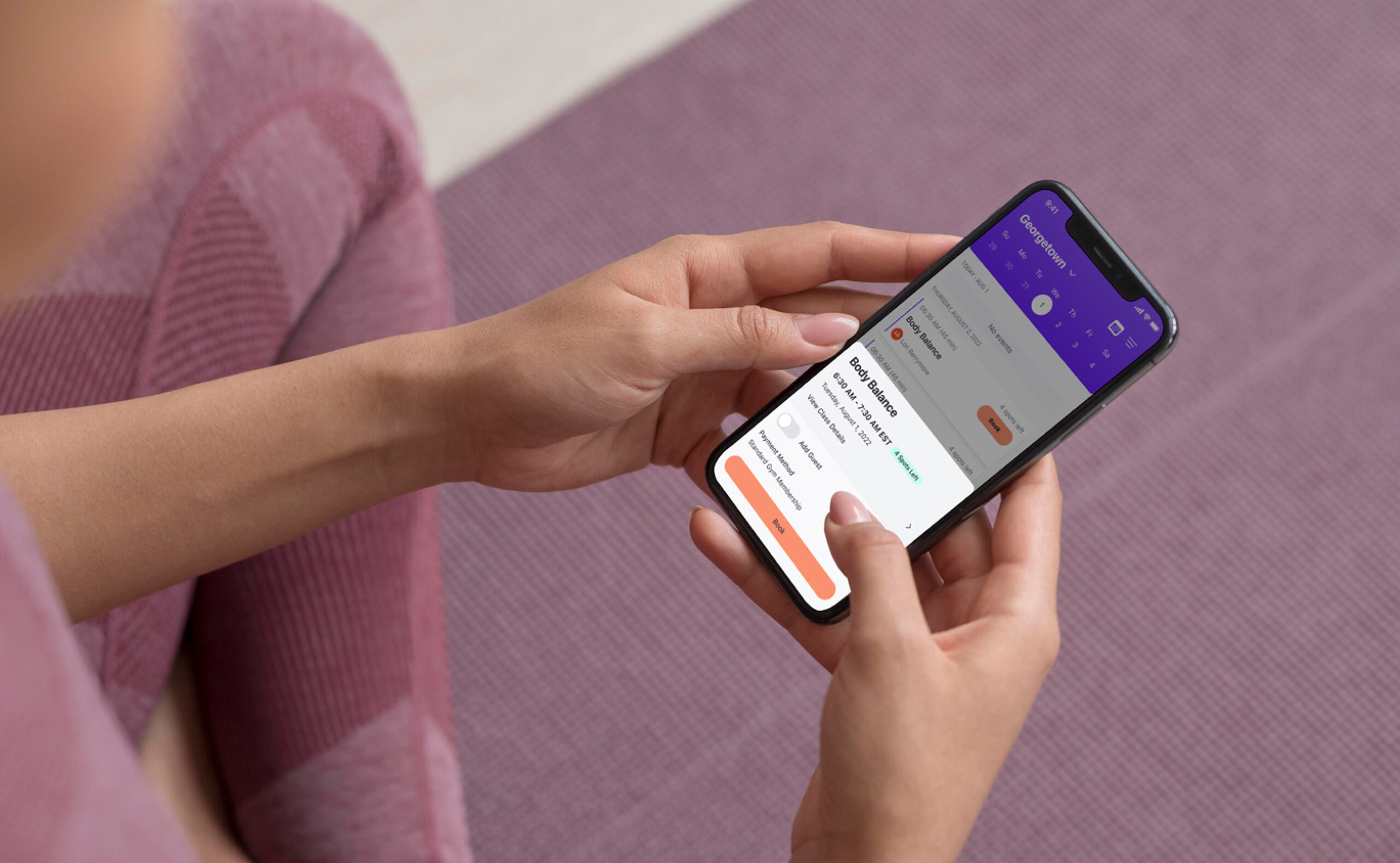
Class Booking Feature for Gym Members

A User-Centered ๐ŸŽฏApproach
This project focused on designing an intuitive class booking feature for the Gym app, prioritizing member needs to boost participation and support the franchiseโ€™s goals. Using user research, competitor analysis, and iterative design, I created a solution that enhances the gym experience.

Role and Responsibilities

UX Designer
I led the design process, assisted with UX research, and collaborated with stakeholders to create a user-centered class booking flow. This included conducting usability testing ๐Ÿ”, iterating prototypes ๐Ÿ”„, and delivering a polished final design ๐ŸŽจ. My role extended to problem-solving based on user feedback ๐Ÿค” and ensuring the solution aligned with the gymโ€™s business objectives ๐ŸŽฏ.
Tools
๐Ÿค” Problem
Gym members needed a quick and effortless way to book classes while managing class details and requirements. The existing workflow lacked clarity and efficiency, leading to user frustration and drop-offs in the booking process.
๐ŸŽ‰ Outcome
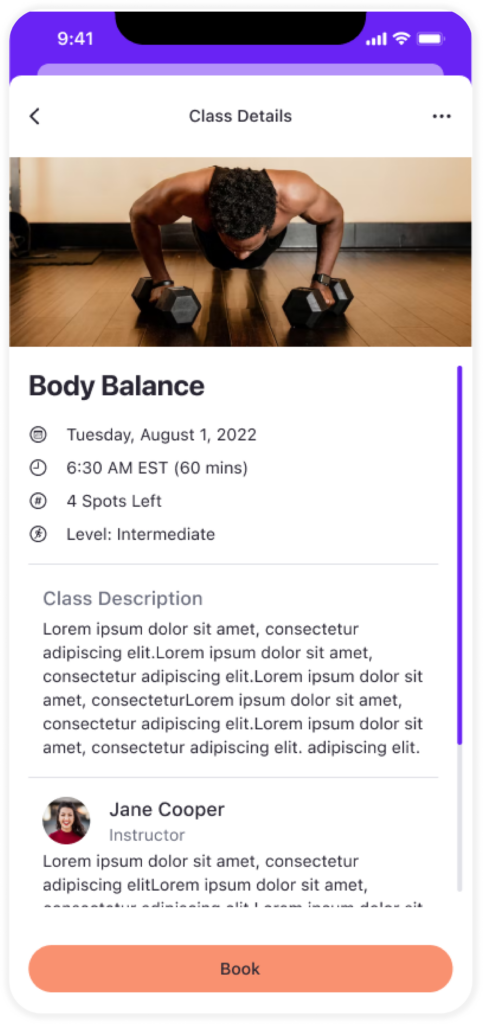
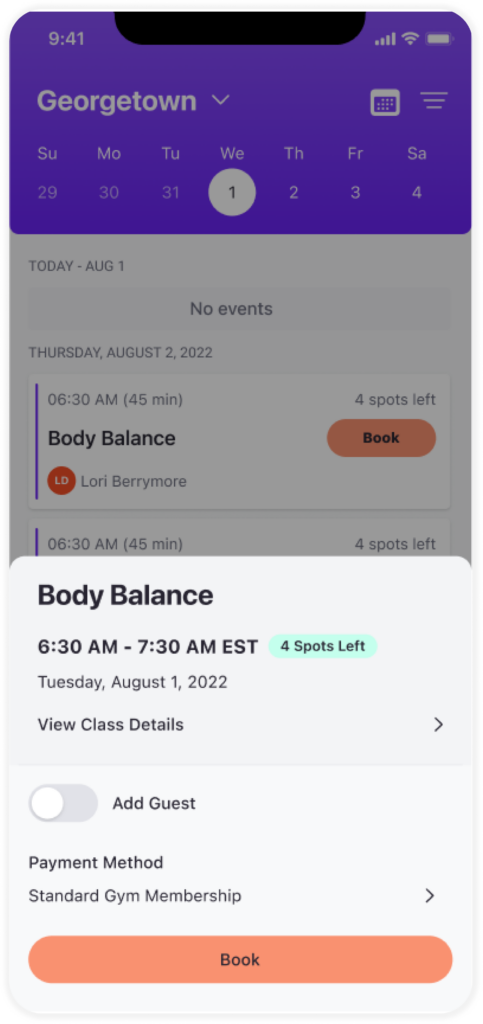
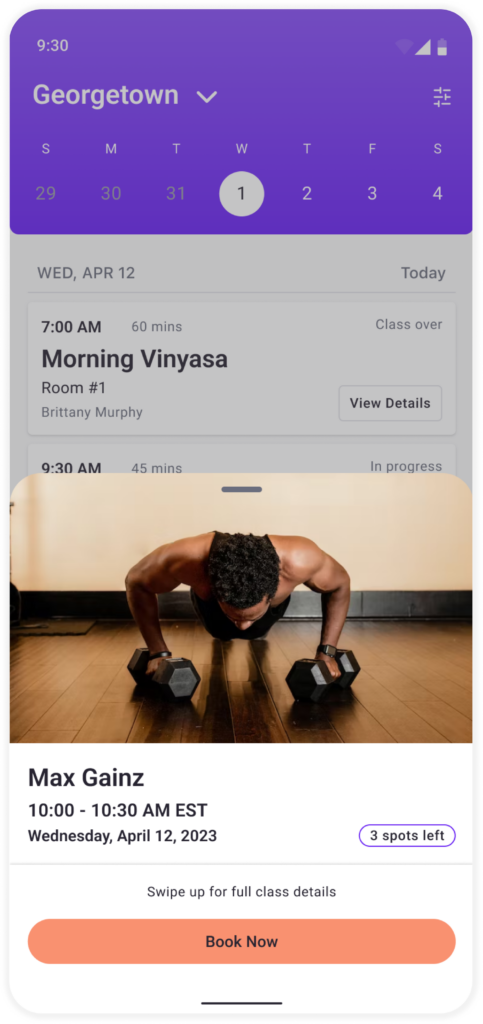
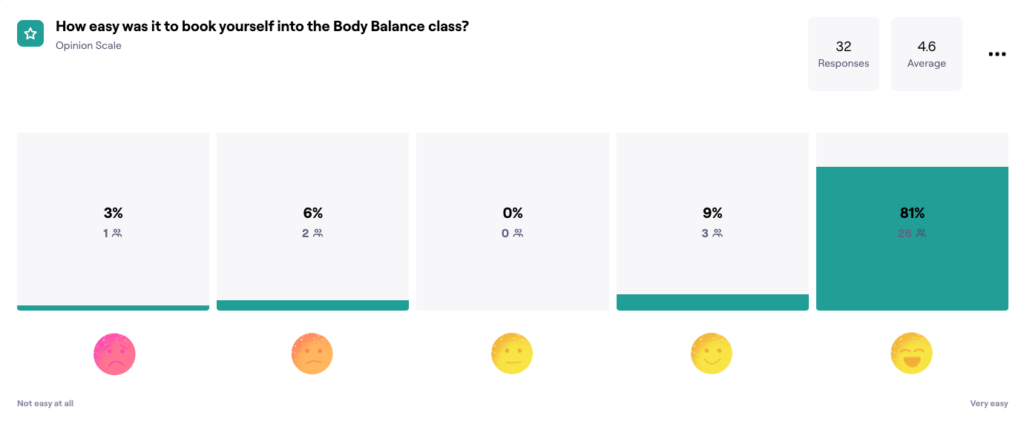
The redesigned booking flow streamlined the process by emphasizing key class details, improving error messages, and introducing features like “quick book” and waitlist management, creating a smoother, more intuitive experience for gym members.

Research and Discovery

Understanding ๐Ÿง  User Needs
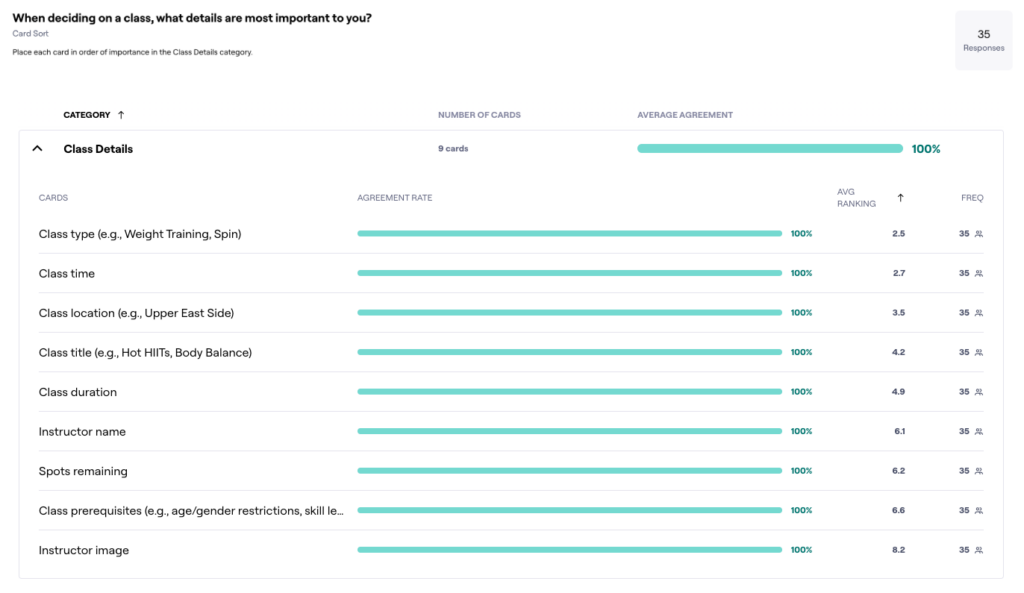
Through generative research interviews, I gathered insights into what gym members consider most important when booking classes. Key questions included:
  • What information do you need to decide on a class?
  • What challenges do you face when booking classes?
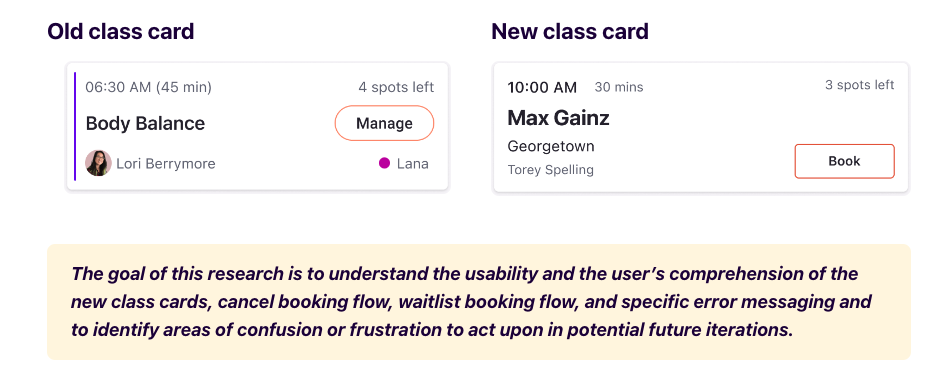
Enhanced Class Card Design ๐Ÿ—‚

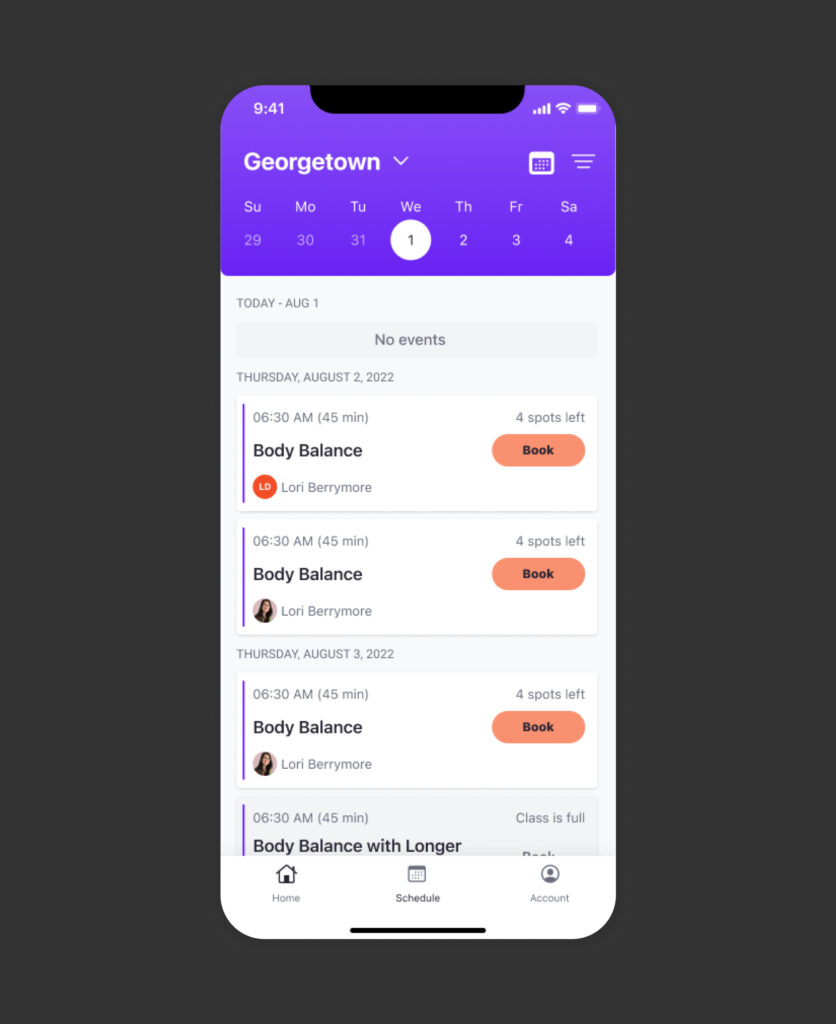
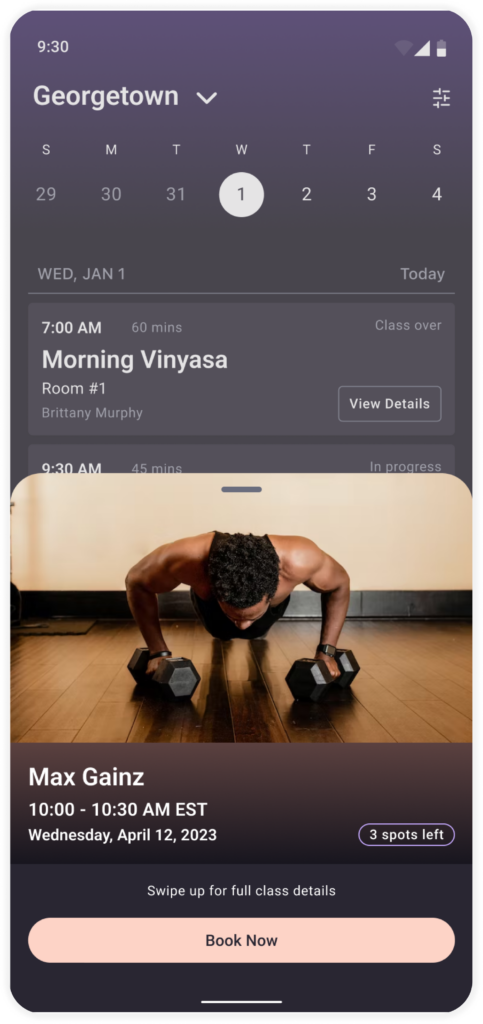
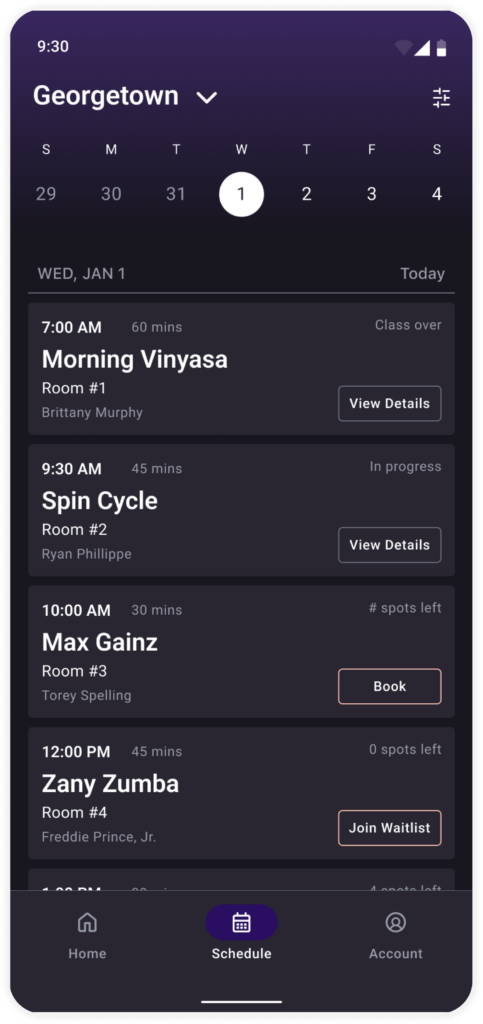
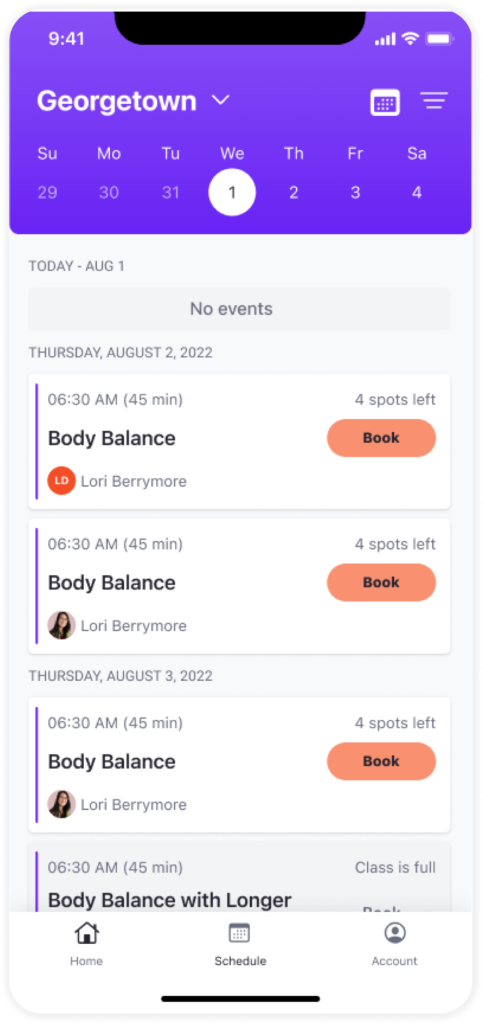
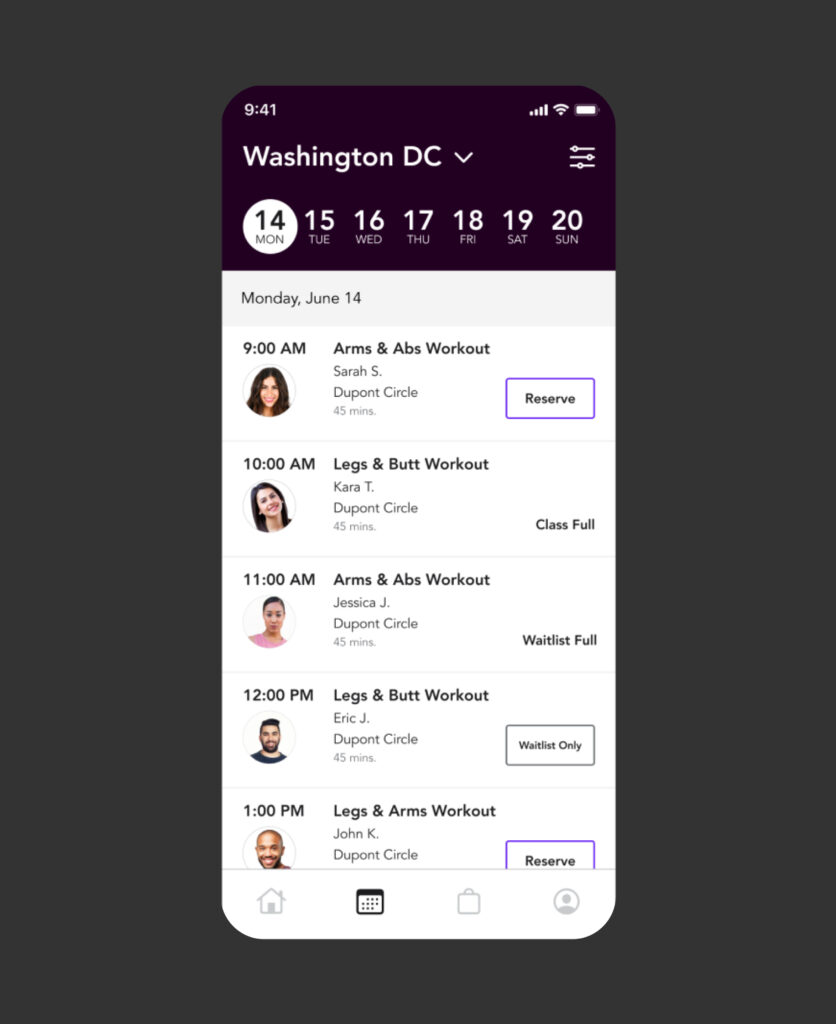
Prominent display of class name, time, and key details for quick decision-making.

Error Messaging Improvements โš ๏ธ

Clear and actionable error messages to reduce confusion.

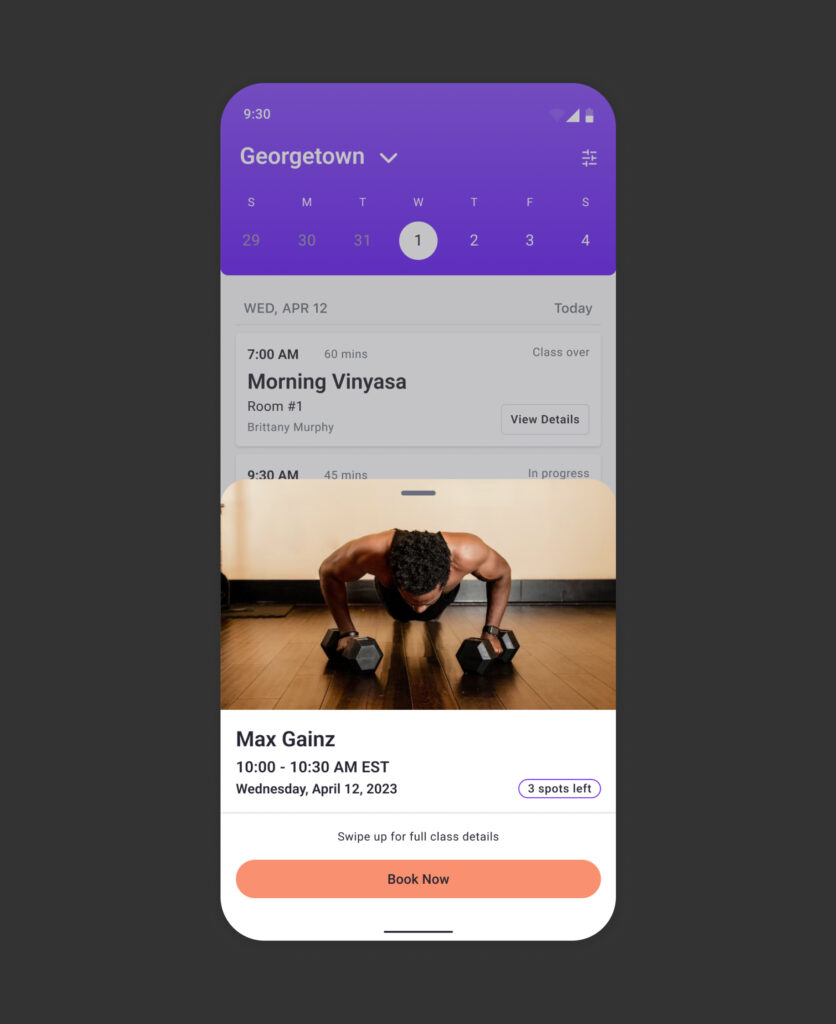
Quick Book โฉ Option

Designed for experienced members to expedite the booking process.

Waitlist ๐Ÿ“‹ Management

Streamlined joining and cancelling waitlists to give users more control over their reservations.
BEFORE
AFTER
BEFORE
AFTER

Delivering a User-Centered Solution

Final ๐Ÿ Design
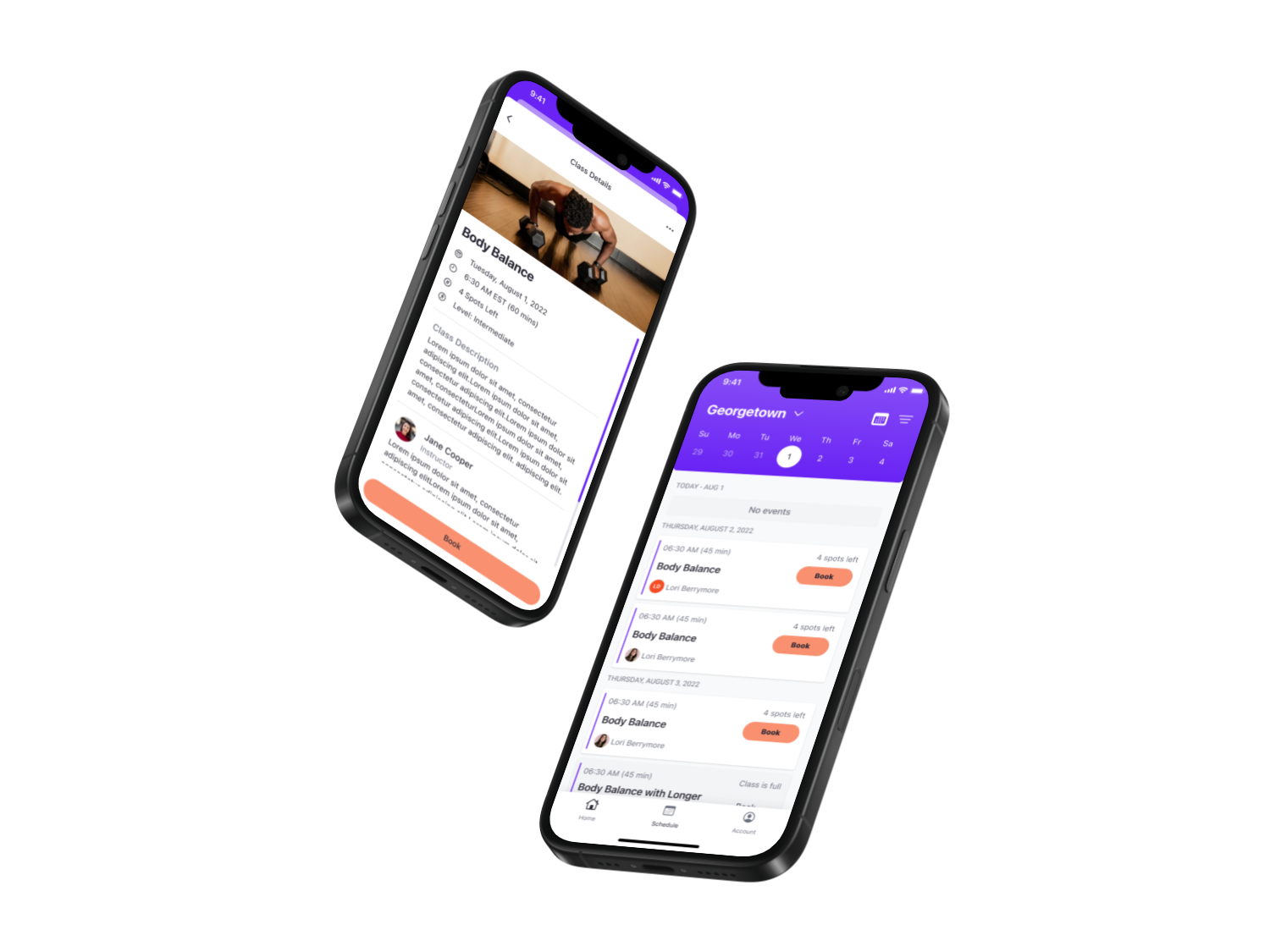
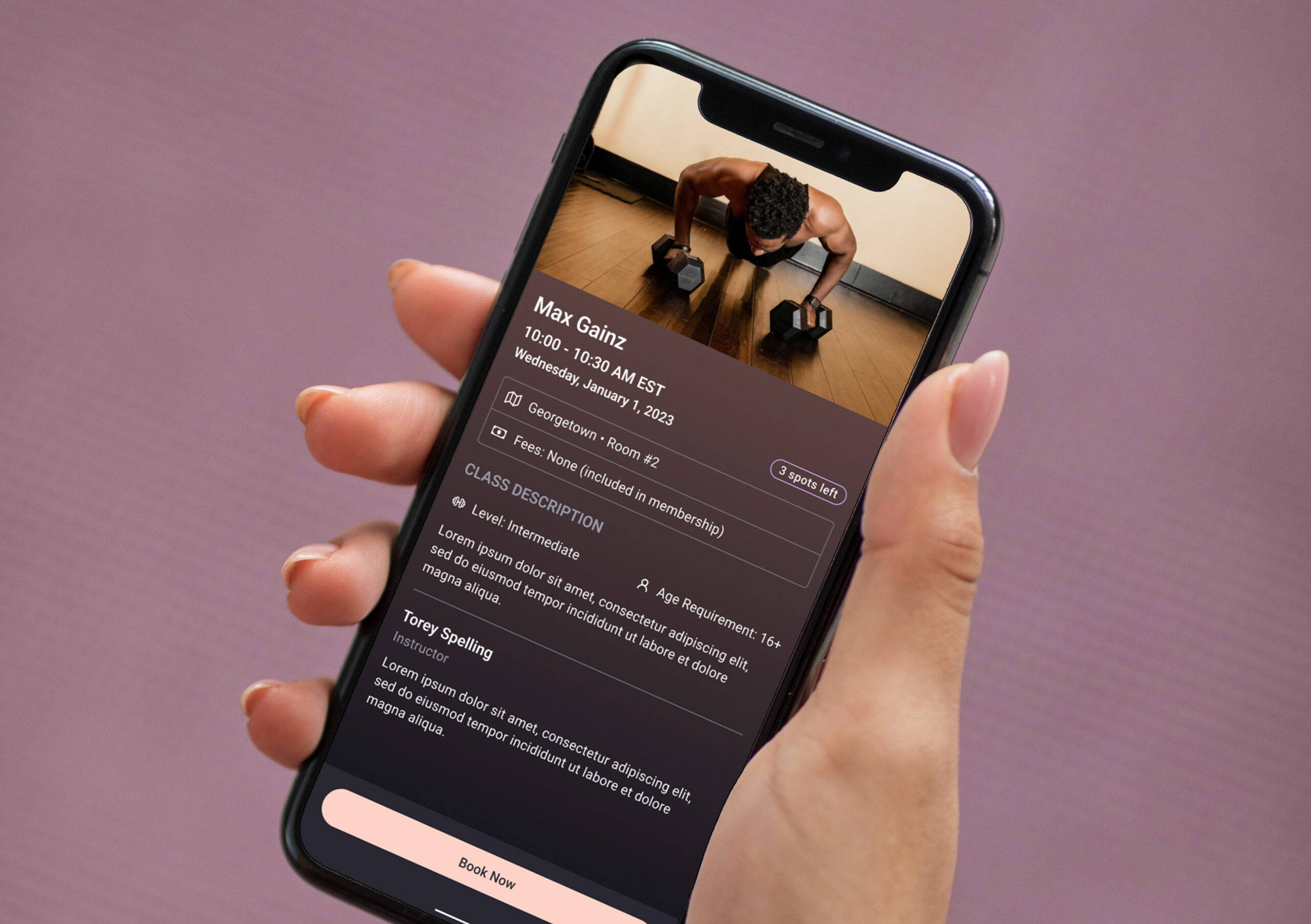
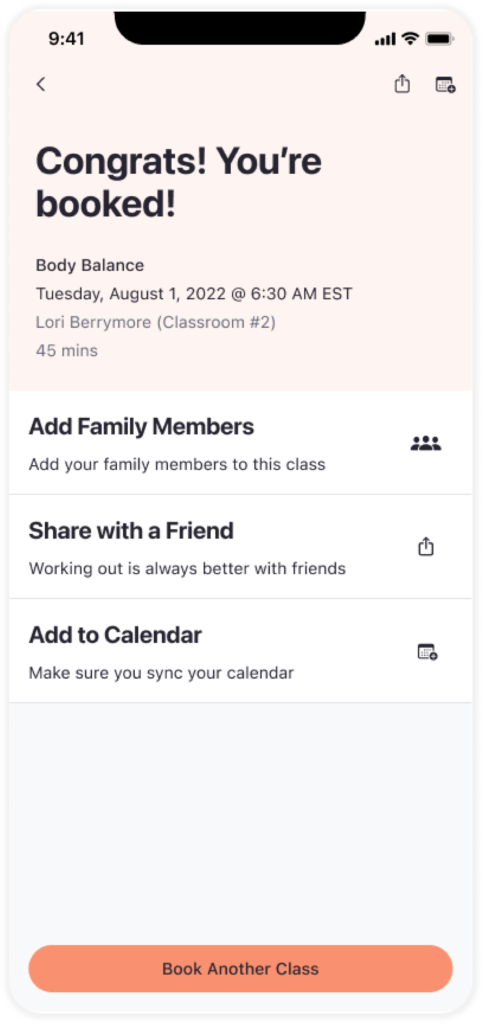
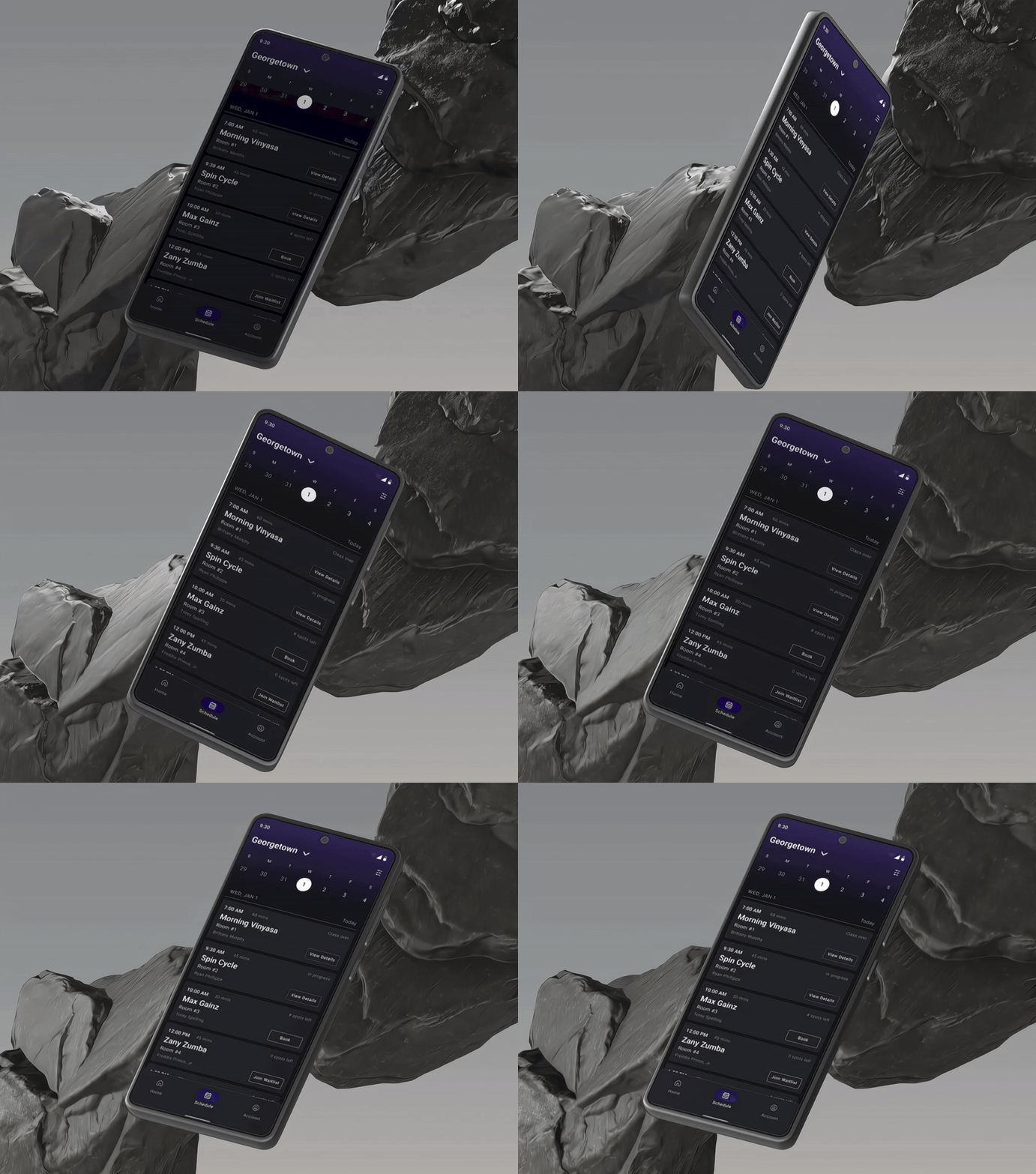
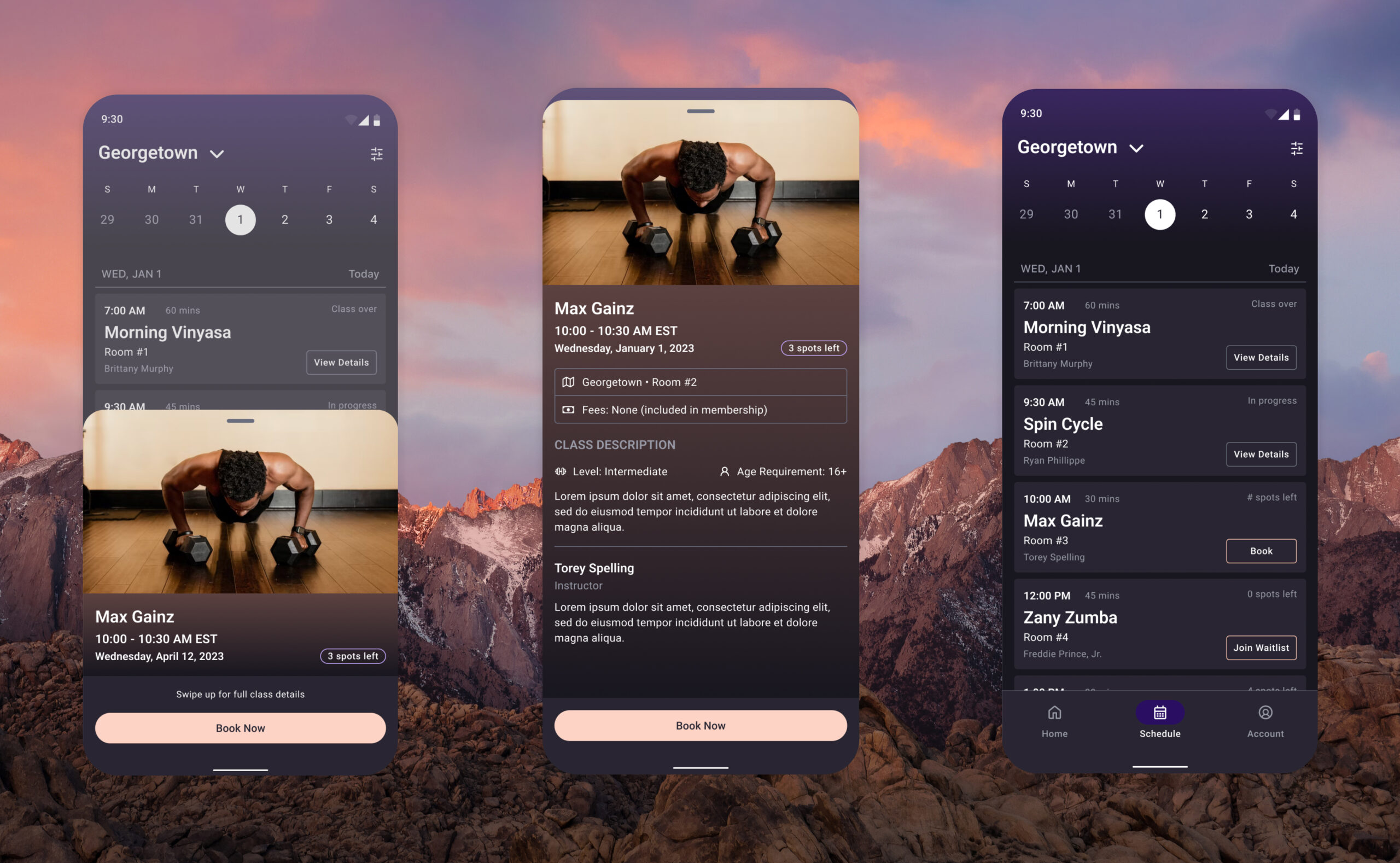
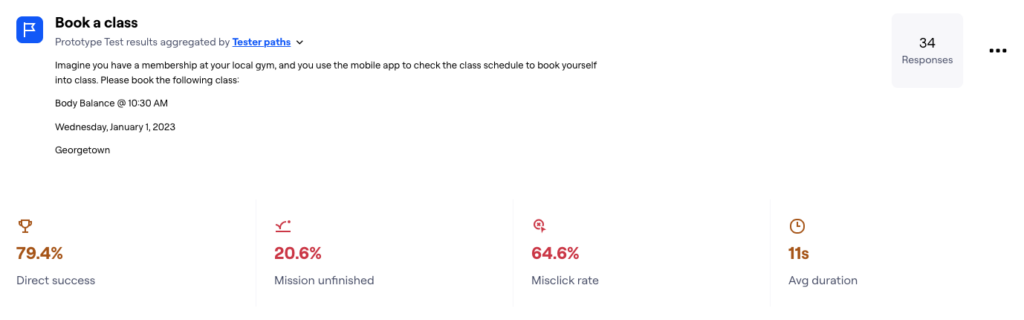
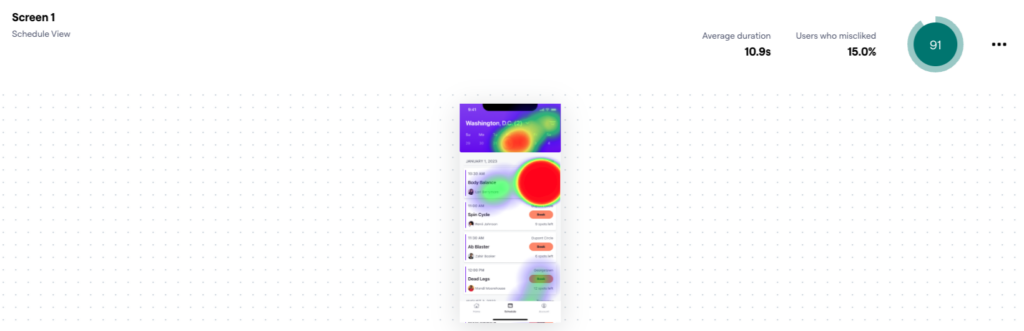
The final design emphasized visual hierarchy, reducing distractions and guiding users through the booking process. Screenshots of the class schedule and booking screens illustrate how the new design enhances usability and satisfaction.

Reflection and Takeaways

๐Ÿ“š What I Learned
This project emphasized the value of user research in understanding pain points and guiding design decisions. Iterative testing played a critical role in refining the workflow to meet user needs. Moving forward, I plan to expand the feature to include additional enhancements, such as personalized class recommendations based on member preferences.
Close

Lorem Ipsum Gravida Nibh Vel Velit Auctor Aliquet. Aenean Sollicitudin, Lorem Quis Bibendum.

Address
Follow us
Skip to content